If Antenati's name search finds no match, search for the town's registers and read their images. Digitized records and searchable names are different things: a register can be online without its entries appearing in the name database. A handwritten index inside the book can help you find an entry even when the website's name search cannot.
Antenati is the Italian Ministry of Culture's portal for archival records. This guide focuses on one task: moving from a known municipality and approximate date to an entry in an unindexed register. It does not assume that every place or year is available online.
1. Write a small, specific search question
Start with the ancestor's Italian comune or municipality, an estimated event date, and the type of event. Add parents or a spouse if known. “Find a birth entry for this person in this town around this year” is a workable question; “find everybody with my surname in Italy” is much harder to assess.
If you have only a province or family surname, use our guide to finding an Italian ancestral town in U.S. records before searching Italian registers. Our surname guide explains naming clues, and the genealogy hub provides a starting point. A surname's present-day concentration is a lead, not proof of birthplace.
2. Search registers, then check the coverage
Use Antenati's Search the registers route, rather than continuing to repeat the unsuccessful name search. Leave Registries with nominatives unchecked when looking for books beyond those linked to searchable names. The current English instructions explain these separate routes. Search the locality and inspect the available years and record descriptions. Begin with broader filters; a narrowly selected record type can hide relevant collections catalogued under a different description. FamilySearch's Antenati tutorial explains the distinction between these search routes. Its English handout provides a downloadable reference; use its research method while checking the current portal's wording and layout.
Common Italian labels include nati for births, matrimoni for marriages, morti for deaths, and indici for indexes. Open the register description and verify its locality, year or date span, record type, and holding archive before reading images.
If the expected year is absent, inspect the relevant archive's holdings description. It may distinguish preserved records from those available digitally. For example, Antenati's Venice archive page directs research for a particular historical interval to diocesan and parish sources. Coverage is local; a general national date range cannot replace this check.
A dated example of the browsing route
On October 16, 2026, a locality search for Pescara with year 1870, leaving Registries with nominatives unchecked, returned registers for several municipalities. Opening Rosciano → Nati → 1870 reached register 39.61, held by Archivio di Stato di Pescara. The viewer loaded 36 images. Its next-image control and Index → Item list allowed movement from the first image to later images, including the final image.
This demonstrates navigation, not a discovery about a family. It does not establish whether this particular register has searchable names, identify a handwritten index, or transcribe an act. Always check the municipality in the register description; a locality search result need not concern the town you intended.
3. Find the book's own index
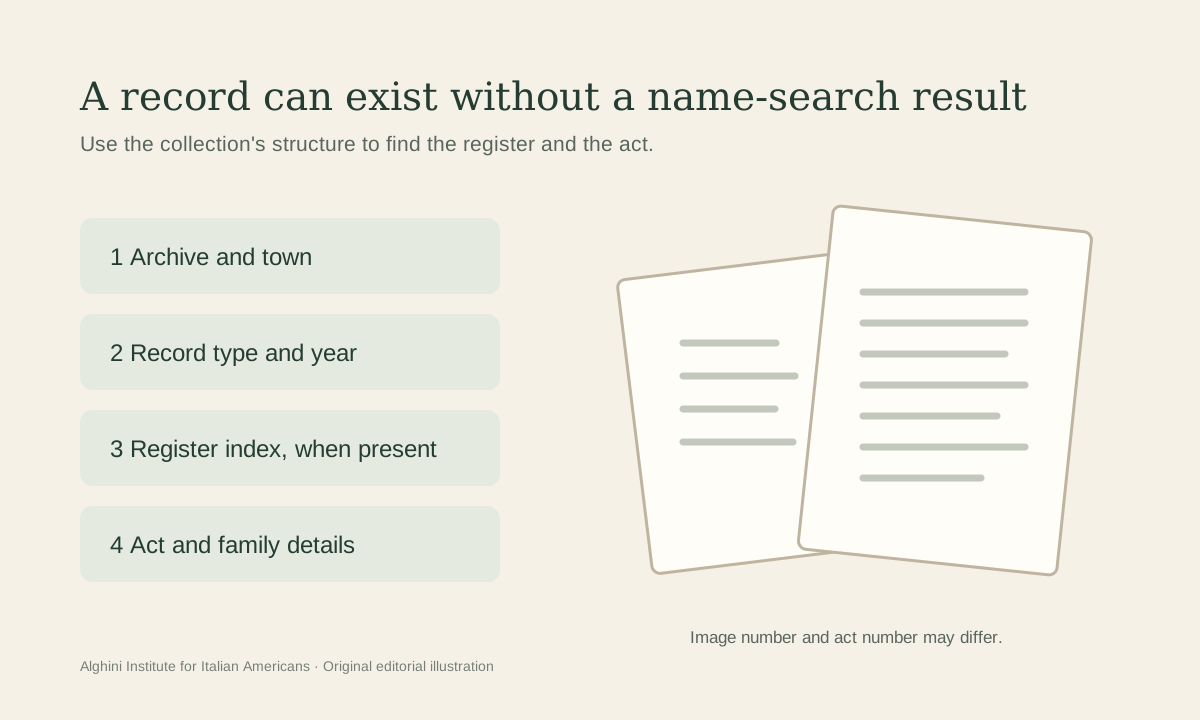
Keep three things separate: the portal's searchable name database, the viewer's Index image list, and a handwritten historical index. The published-name-index page describes names extracted from selected records. The viewer's Index → Item list moves between digital images; its label does not establish that the historical book has a name index. A paper index belongs to the historical record itself. Antenati's English instructions describe annual and ten-year indexes as research aids.
In the image viewer, inspect the opening and closing pages for a table of names. Also check for separately catalogued indexes. Do not assume an index exists, appears in a fixed position, or follows the same alphabetical arrangement as another book.
Read a few lines to understand its columns. Does the number identify an act, a page, or something else? Copy the candidate name, year, and reference exactly. Follow that reference into the register. The viewer's image position counts digital images; it is not automatically the historical act number written by the clerk.
Help keep this work free
Help another family find its story.
A gift to the Alghini Institute supports free Italian American stories, research, and family-history resources.
Support family-history resources4. Confirm the entry, not just the name
Open the candidate act and compare the person with what you already know. For a birth search, look for the event date, parents, place, and other identifying details. Record which parts you can read and leave uncertain words marked uncertain.
Check what each date describes. The act's recording date and the event date should not be assumed identical. Read the relevant wording and any continuation before copying a date into your tree.
If several candidates share a name, keep separate notes for each. Compare relatives and dates before linking a record to your ancestor. Do not fill an unreadable parental name from another person's online tree merely because it produces a convenient match.
For unfamiliar handwriting, use FamilySearch's Italian research resources, which link to word lists and paleography instruction. Compare uncertain letters with other words on the same page. A partial, accurately labeled transcription is more useful than a confident guess.
5. If the paper index is missing, browse methodically
Check several acts to learn how the book is arranged. If the entries follow dates, move toward the estimated event period and inspect surrounding pages in order. If the organization is different, follow what the register actually shows.
Keep a browsing log: register title, images examined, dates or act numbers covered, and result. When you stop, record where to resume. A search of ten readable pages is not a search of an entire year.
Widen the date range gradually when the date came from an age estimate or family memory. Check adjacent years and relevant supplementary sections when the collection description indicates them. Preserve the reason for each extension so the search stays reproducible.
Understand an unsuccessful result
| What happened | What to try next |
|---|---|
| Name search has no result | Check the town's register images; the relevant entry may be unindexed. |
| The year is not online | Compare the archive's holdings with its digitization coverage. |
| An expected page seems missing | Note the register and image references; consult the holding archive's published guidance. |
| No candidate appears in the pages searched | Log the exact range, then reassess date, locality, spelling, and record type. |
| A similar-name entry has different parents | Keep it as a separate candidate rather than altering your family evidence to fit. |
Antenati's English FAQ distinguishes missing online coverage from archive holdings and explains how to report apparent gaps. A negative search does not by itself establish that a person was never born, married, or resident in the town.
Save the route back to the evidence
Record the archive, collection, municipality, register title and year, act number, page if present, image position, URL, and access date. Reopen the saved link and verify where it lands; keep the register details even if the link opens at the beginning.
Use the free Family History Starter Kit to carry your question and notes into the next session. A useful outcome is either a supported candidate entry or a clearly documented search with one next step.
Sources
- Antenati, official portal.
- FamilySearch, Antenati tutorial and handout (2023).
- Antenati, published name indexes.
- Antenati, English instructions.
- Antenati, Rosciano births, 1870, register 39.61, used for the dated navigation check only.
- Antenati, Venice archive holdings.
- Antenati, English FAQ.
- FamilySearch, Italy learning resources.